
Contact comemso
Discuss your test task with comemso
New test system, extension or demo? Tell us about your test task. For help with an installed system, contact our support team.
Direct telephone and email routes for Germany, North America and international projects.
How can we help?
Technical request
Describe your test task
We include existing equipment and workflows in the system selection.
Direct contact
Planning a test system or looking for help?
You can reach us by telephone or email here.
Discuss your next test task
Discuss a configuration, demo or quotation. The Easy Chester Ultimate demo shows the Generation 3 device with a charging station live via webcam.
Get help with your installed system
We help with operation, troubleshooting and updates, as well as commissioning, training, calibration, maintenance and repair.
General enquiries
Company, partnership, media or another topic
Contact our main office for company, partnership or media enquiries.
Prepare the request
These details help us answer your enquiry
Share what you already know. We can discuss any open points together.
Optional details for Sales or Support
What would you like to test?
- Application: EV, EVSE, MCS, BMS, EMC, production or field
- DUT and direction: what is real, what must be simulated
- Standards and interfaces: required families, editions and connectors
- Electrical range: voltage, current, power and load or source concept
- Workflow: manual, automated, API, HiL, EOL or mobile use
- Project frame: location, schedule, integration and procurement route
Identify the system and the observed behaviour
- System: product name, configuration and serial number
- Installed state: software, firmware and relevant library versions
- Test setup: DUT, interfaces, direction and connected equipment
- Observation: expected result compared with actual behaviour
- Material: logs, traces, screenshots, reports and reproduction steps
- Operational context: frequency, timing, urgency and safety relevance
Keep files attributable: retain the original file names, timestamps, system state and test configuration when sharing logs or reports.
Customer care and lifecycle
Support continues after the system is delivered
Our Customer Care Team coordinates delivery, commissioning, training and education. Find the service you need below.
Test setup, reproducibility, released workflows and result interpretation.
Role-based product knowledge, application practice and e-learning context.
Traceability, adjustment, maintenance, repair and readiness.
Clarify released status, compatibility and the applicable update route.
Explore development, manufacturing and test laboratories at comemso.
Clarify standards scope, test strategy, architecture and rollout decisions.
Locations and local access
Germany, North America and an international partner network
Germany and North America use the same international Sales and Support email routes.
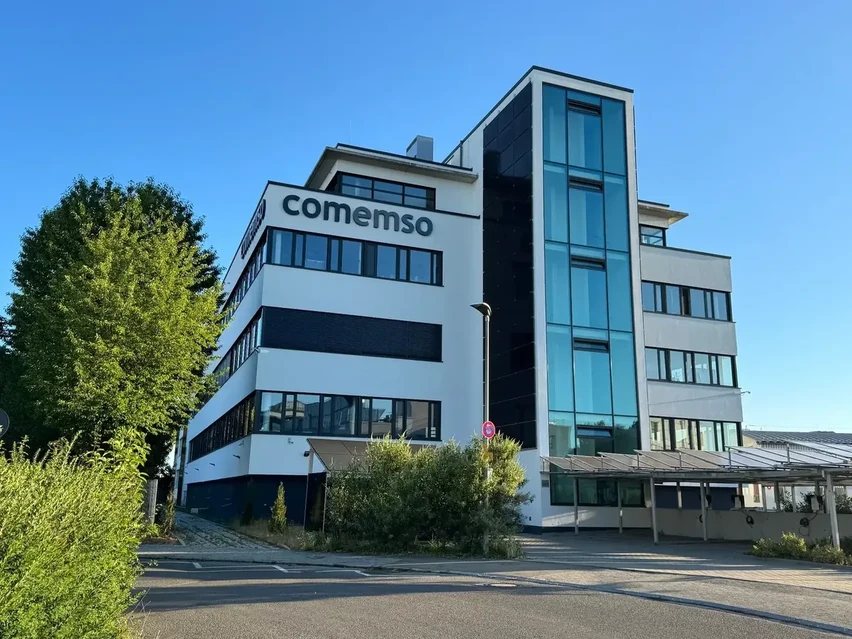
comemso electronics GmbH
Karlsbader Str. 1373760 Ostfildern
Germany +49 711 982 98-0
comemso North America Corporation
32000 Northwestern Highway, Suite 150Farmington Hills, MI 48334
United States +1 (248) 970-2420
Sales:
Support:
Direct sales, application engineering and support for North American projects (Eastern Time). NACS testing · UL standards and field safety · EV testing in the USA
Routing questions
Contact FAQ
Should an upgrade request go to Sales or Support?
Use Sales when the decision concerns a new option, hardware extension, additional interface, commercial scope or quotation. Use Support when the issue concerns the installed state, compatibility, operation or a technical case. Include the existing system configuration in either route.
Which contact should be used for calibration or maintenance?
Use Technical Support. Identify the product, configuration, serial number, location and required service. The published DAkkS accreditation scope and management-system evidence remain available under Quality & Certifications.
Can an international sales partner handle the request?
Use the Sales Partners page to identify published regional access. Product, territory and service responsibilities can differ, so the concrete route should be confirmed for the project.
What makes a technical support request actionable?
Include the system identity, software and firmware state, test configuration, expected and observed behaviour, reproduction steps and the available files. The support team can then assess the technical state of the system and plan the next step.
Are the Sales and Support email routes also used for North America?
Yes. For international enquiries, contact Sales at or Technical Support at . You can also contact our North American office by telephone.
How are test results documented?
Tell us which result you need to document. We can identify the relevant product documentation and clarify which configurations, measurements, traces, evaluations or reports the selected workflow supports.
Talk to comemso
Talk to the people behind the systems
Bring the application, company question or collaboration topic directly to the responsible team.
Factory service or repair?
Contact support first. If a return is needed, submit the product, serial number and return-address details through the RMA form.