
Applications
Products
Software
Knowledge
Company

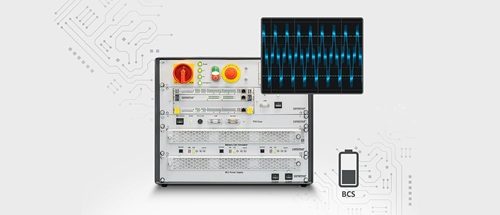
Battery Cell Simulator Advanced and Voltage Oscillation

The 2022 release described the Advanced module for the Battery Cell Simulator and Voltage Oscillation, a software function for testing battery management systems (BMS) with controlled interference.

Battery Cell Simulator Advanced and Voltage Oscillation
QuestionCell current and voltage-oscillation tests
ContextConnect application, standard and product
SourceAdvanced and Voltage Oscillation release from 2022
Next stepContinue to current technical scope

Battery Cell Simulator Advanced can source and sink up to 7.5 A continuously per cell. Emulated cells can be cascaded up to a total stack voltage of 1500 V.

The BCS Compact Advanced modules supply up to 7.5 A at a cell voltage of 5 V, or 6 A at 8 V. Cable-break, cell-short-circuit and cell-polarity-reversal simulations remain available. Current and voltage measurement and generation retain precision of 2 mA and 0.5 mV.

When an electric vehicle charges with alternating current (AC), its on-board charger can expose the battery management system (BMS) to electromagnetic interference. BMS filters need to suppress that interference while preserving dynamic cell behaviour.

Voltage Oscillation adds a quasi-sine interference signal to the DC cell voltage for this test. Set the amplitude individually for each cell up to 35 mV (70 mVpp), with a frequency from 1 to 1000 Hz.

The 2022 release offered Voltage Oscillation as an update for Battery Cell Simulator Gen. 8, and for Gen. 7 on request. The update was covered by software maintenance at no additional cost.
Related reading

More product and software updates

Read related releases and follow their links to the current test systems.

Free BMS testing whitepaper

Planning BMS temperature tests?

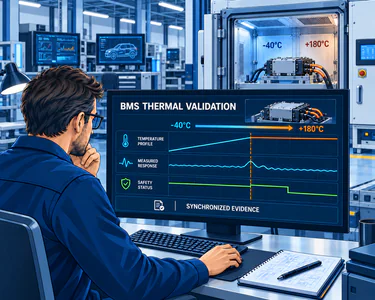
Read how cold starts, heat exposure and climate-chamber wiring affect cell and sensor simulation in BMS temperature tests.

Illustration of an engineer planning BMS thermal validation with cell simulation and a climate chamber
Explore the BMS testing whitepaper

Your BMS test setup

Configure cell, sensor and fault simulation

Discuss your BMS test task with comemso and compare current systems in the product finder.

Share this article

LinkedIn